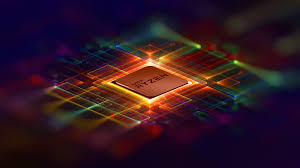


Building your own PC can be a rewarding experience that allows you to tailor a system to meet your specific needs. Whether you’re a gamer, content creator, or simply looking for a reliable workhorse, understanding the general requirements and purpose of PC building is crucial. In this guide, we’ll explore the key components and considerations that go into building a powerful and efficient PC.

- Processor (CPU):
- The heart of any PC, the processor determines the system's overall performance.
- Consider factors like clock speed, core count, and cache size based on your usage.
- Intel and AMD are the major CPU manufacturers, offering a range of options for different budgets.
- Graphics Card (GPU):
- Essential for gaming and graphics-intensive tasks.
- NVIDIA and AMD are the leading GPU manufacturers, providing a variety of models for various performance levels.
- Choose a GPU based on your gaming or professional graphics requirements.
- Motherboard:
- The motherboard is the central hub connecting all components.
- Ensure compatibility with your chosen CPU and GPU.
- Consider features like PCIe slots, USB ports, and RAM slots based on your needs.
- Memory (RAM):
- RAM affects multitasking and system responsiveness.
- Choose a capacity based on your usage (8GB for general use, 16GB for gaming, and higher for content creation).
- Pay attention to speed and latency for optimal performance.
- Storage:
- SSDs (Solid State Drives) provide faster load times and responsiveness compared to HDDs.
- Consider a combination of SSD for the operating system and frequently used applications, and an HDD for mass storage.
- Power Supply Unit (PSU):
- Ensure the PSU can provide enough power for all components.
- Consider efficiency ratings and modular cables for better cable management.
- Cooling:
- Adequate cooling is essential to prevent components from overheating.
- Choose between air cooling and liquid cooling based on your preferences and requirements.
- Case:
- Select a case that accommodates your chosen components and provides good airflow.
- Consider cable management features for a clean and organized build.
- Operating System (OS):
- Choose an operating system that aligns with your preferences and software requirements (Windows, Linux, macOS).
- Purpose-driven Builds:
- Gaming PC: Emphasize GPU and CPU performance, high RAM capacity, and fast storage.
- Content Creation PC: Prioritize a powerful CPU, ample RAM, and fast storage for video editing, 3D rendering, etc.
- Workstation PC: Focus on reliability, multitasking capabilities, and GPU power for professional applications.
Conclusion: Building a PC allows for customization, cost-effectiveness, and the satisfaction of creating a system tailored to your needs. Consider your usage requirements, budget, and future upgradability when selecting components. With the right choices, you can assemble a PC that excels in gaming, content creation, or professional work. Happy building!